A Modern Python Stack for Data Projects
uv, ruff, ty, Marimo, Polars
I put together a template repo for data projects in Python, and I wanted to add some context to go with it. If you don’t care about the backstory, here’s the repo. It’s meant to bootstrap Python projects and help you start on the right foot.
TL;DR
If you want a modern baseline, this is the core loop:
- Create a project and environment with
uv - Keep code quality automatic with
ruff(lint + format) - Add type checking with
ty - Use Marimo for exploratory work that stays reproducible
- Prefer Polars for local data wrangling when performance matters
Below I explain why each tool earns its place, plus the trade-offs.
For the curious, here comes the long digression…
Anyone who has worked with Python has run into dependency management, virtual environments, and Python version juggling. In the developer community, the famous XKCD comic captures how messy this can get. Today, though, I think that comic is starting to feel outdated, at least if you use the modern tools we have now.
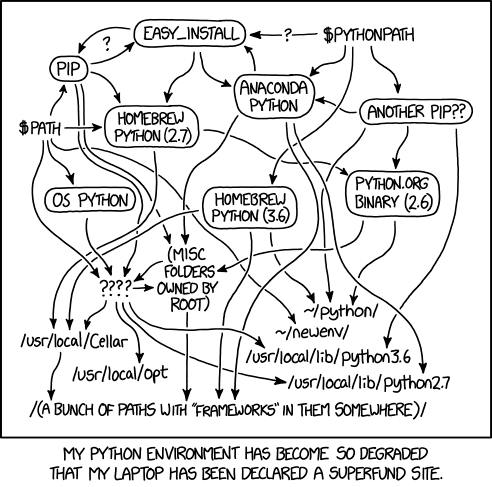
The tools I’m talking about are:
- uv: Lightning-fast package manager
- ruff: Ultra-fast linter and formatter
- ty: Modern type checker
- Marimo: Reactive notebooks
- Polars: Data analysis and exploration
And then there are a few DevOps-oriented tools that make the developer experience even better:
- MkDocs + GitLab/GitHub Pages: Easy-to-maintain documentation
- Docker: Containerization
- Commitizen: Conventional commits
The Problem with “Old” Python
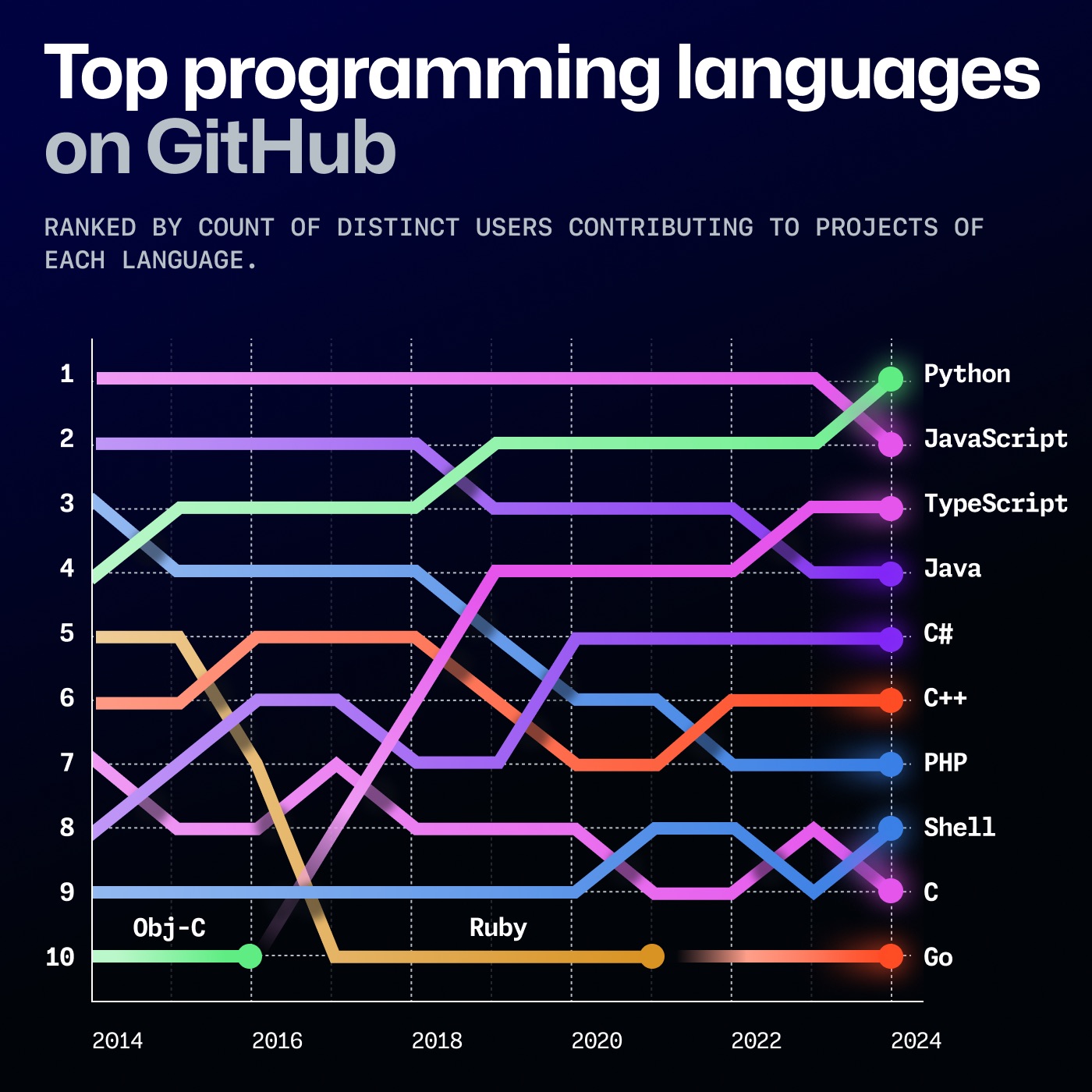
Over the years, Python’s popularity has skyrocketed: it spread across nearly every industry and became one of the most widely used languages in academia, thanks to how approachable it is. Paradoxically, the tooling around it didn’t mature at the same pace.
For example, Anaconda improved the developer experience, but it didn’t really revolutionize the ecosystem. It mostly got added to the existing tangle of pip and friends. Traditional package managers were slow, dependency management often stayed fairly simplistic, and virtual environments were never consistently “obvious”, despite being necessary to avoid polluting the system Python with project dependencies.
And then there’s the version problem: 3, 4, N Python installations (system Python, Homebrew’s Python, Conda’s Python…), with confusion that sometimes feels inevitable.
Finally, Jupyter notebooks: I used them way too much at university. I still like them for data exploration and experiments, but they also have issues that can be hard to ignore, like poor reproducibility and “phantom bugs” caused by hidden state and badly managed global variables.
There were many problems, but affection (and habit) kept me from abandoning the language. Still, Python needed development tools worthy of its popularity.
The Astral Ecosystem
A large portion of the tools I can’t live without today are being built by a single company: Astral. Founded by Charlie Marsh, its mission is to improve Python developer tooling. Its flagship products are:
- uv: a fast package manager and project management tool, meant to replace
pip+virtualenvwith a simpler, faster workflow. - ruff: an ultra-fast linter and formatter, compatible with many flake8/isort/black rules in a single tool.
- ty: a modern type checker, focused on speed and immediate feedback during development.
- pyx: Astral’s Python-native registry (backend for uv) that speeds up installs and package management.
pyx is still a work in progress, but the other three are ready for production use. For ty, I’d personally wait a bit longer, though not by much, based on what Astral announced in their blog.
uv
The real “game changer” for modernizing Python is uv. It’s written in Rust and designed as a drop-in replacement for pip and virtualenv (and in many workflows it effectively replaces pip-tools/Poetry too). The result is that installs and dependency resolution become really fast (often 10–100x compared to pip), without forcing you to rewrite half your project: it works with both requirements.txt and pyproject.toml, creates and manages .venv automatically, and gives you a lockfile (uv.lock) for reproducible environments.
The parts that convinced me the most:
- Modern project workflow:
uv init, thenuv add httpx/uv remove ...anduv run main.py(which always runs inside the right environment). Alternatively,uv syncaligns the environment to the lockfile. - Built-in Python version management: you can install and “pin” a version (
uv python install 3.11,uv python pin 3.11) and, if it’s missing,uvdownloads it on the fly. No more separate tools likepyenvunless you really want them. - Disposable tools with
uvx:uvx(alias foruv tool run) is the equivalent ofnpx/pipx: runruff,black,mypy, etc. in isolated, temporary environments without polluting your project. - Packaging without drama:
uv build/uv publishcover building and publishing to PyPI; and with recent updates,uv-buildbecame the default build backend, aiming to replacesetuptools/hatchlingwith much faster builds. On top of that, workspace support makes monorepos and large codebases easier to manage by sharing lockfiles and environments.
In practice, uv collapses a lot of the “classic” toolchain into a single command, and it does it without demanding a full migration. You can even use it in compatibility mode, like uv pip install -r requirements.txt (or uv pip compile in a pip-tools style), and start from there.
ruff
If uv removes the chaos around pip/virtualenv, ruff does the same for code quality: it’s an ultra-fast linter and formatter (written in Rust) that combines what usually requires a whole collection of dependencies (flake8 + plugins, isort, black, etc.) into one tool. In practice, you configure it once in pyproject.toml, run it on-save and in CI, and forget about everything else.
What I like most:
- Speed by default: often around ~10–100x faster than traditional tooling, so you can run it all the time.
- Real drop-in replacement: it covers most
flake8andisortuse cases, and withruff formatit can replaceblackwithout disrupting your workflow. - Comprehensive rules: 800+ built-in rules covering style, common bugs, and performance suggestions.
- Auto-fix:
ruff check --fixautomatically resolves a lot of issues (and you can decide how “aggressive” fixes should be). - Editor integration: official VS Code extension and solid pre-commit/CI integrations.
A minimal setup usually looks like: ruff check --fix . for linting and ruff format . for formatting.
ty
If ruff makes you fight less with style, ty makes you fight less with types. It’s a modern type checker (also Astral, also Rust) meant as a drop-in replacement for mypy, with a very specific obsession: give you feedback immediately while you write code, instead of turning type checking into a job you run “every now and then” in CI.
Why it’s worth trying (even on a medium-sized project):
- Speed: designed to be much faster than traditional checkers, so you can run it frequently (or even in watch mode) without breaking your flow.
- Better diagnostics: clearer, more actionable errors with less guesswork about what to change.
- Editor experience: it includes a language server, so IDE integration is part of the project, not an afterthought.
- uv integration: you can install/use it as a disposable tool (
uvx) or pin it in your repo toolchain.
Practical note: it’s still young (beta), so I’d introduce it gradually: first as an informational check, then as a CI gate once you’re happy with the signal-to-noise ratio.
Minimal setup: uvx ty check (or ty check) and, if you like continuous feedback, ty check --watch.
pyx
We still know too little about pyx. I’ll just point you to the announcement from a few months ago here.
Marimo and Polars
Astral isn’t the only player in this list of modern tools (thankfully—more is better). The teams behind Marimo and Polars have also pushed the Python ecosystem forward. These tools lean more toward experimentation and data exploration, but they’re useful for pretty much everyone.
Marimo
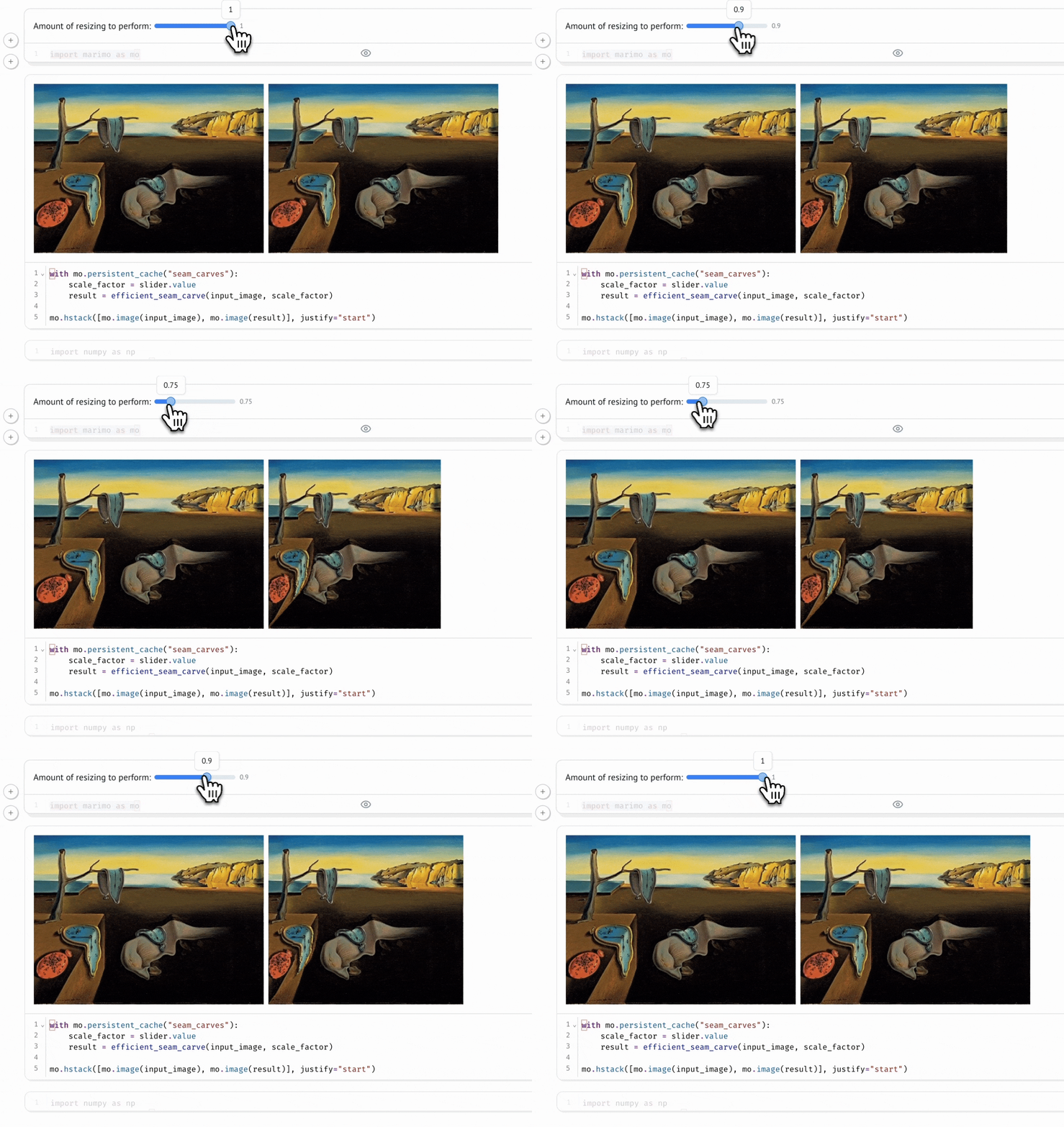
Marimo is the notebook that finally made me abandon Jupyter. I never thought it would happen: I’ve used Jupyter Notebook since university. Then I tried Marimo, and I had no doubts. The key idea is that it’s a reactive notebook: execution is driven by code dependencies, so it’s deterministic and reproducible (no hidden state, no “run all cells” to make things line up). And most importantly: the notebook is a Python file, so it versions cleanly, re-runs like a script, and can be reused as a module.
What convinced me:
- Deterministic, reproducible execution: no hidden state, and goodbye “run all cells” nightmares.
- Fast prototyping: iterate quickly without resetting the kernel every other minute.
- Git-friendly: notebooks are Python files, not JSON blobs.
- Interactivity: UI elements (buttons, sliders, checkboxes, etc.) to play with data and build small demos.
Quick start (with uv):
uv add marimouv run marimo edit notebook.py
Polars
I’ve already covered this in detail in this article, so I’ll go straight to the point: if today I need to do data wrangling and analysis on a single machine, Polars is almost always my first choice. It’s a DataFrame library with a Rust engine and a “query engine” mindset: it uses lazy execution when needed, optimizes the plan (filter/projection pushdown, etc.), uses all your cores well, and plays nicely with modern formats like Parquet/Arrow.
What I like most:
- A well-designed lazy API: with
LazyFrameyou describe what you want, and Polars figures out the how (optimizations included). If you want to see what’s happening, you can inspect the query plan withexplain(). - Scan + streaming for large datasets:
scan_parquet/scan_csvavoid loading everything in memory up front and, when needed, you can process beyond RAM with streaming execution (e.g.collect(engine="streaming")). - Composable expression API: readable, fast transformations without falling back to
.apply+ lambdas that kill performance. - Arrow-first: solid interoperability with the ecosystem (PyArrow/Parquet/IPC) and easy integration with tools like DuckDB when you want to mix SQL and DataFrames.
- Performance without complexity: parallelism by default and excellent local performance, often without introducing distributed frameworks.

Honorable mention: DuckDB. It’s an embedded analytical database (think “SQLite for analytics”) that runs fast SQL directly on local data like Parquet/CSV/Arrow, and it plays especially well with Polars thanks to Arrow: you can query a Polars DataFrame with SQL and get results back as a Polars (Lazy)Frame.
DevOps Tools
I’ll close with three “DevOps” (and adjacent) tools that don’t need much of an introduction: MkDocs (paired with GitLab/GitHub Pages), Docker, and Commitizen. The first helps you keep static documentation versioned in your repo and publish it easily; the second is still the standard for containerizing and making environments and pipelines reproducible. Commitizen deserves two lines: it guides you to write commits following the Conventional Commits standard (e.g. feat, fix) and can automate version bumps and changelog generation from history (cz commit, cz bump).
Conclusion
If you want to go from theory to practice, the template repo already includes all of these tools ready to try: sensible defaults, commands wired up, and a setup that lets you explore uv, ruff, ty, Marimo, Polars, and the DevOps extras.
The nice thing is that, for once, we’re not talking about “fixing” Python. We’re talking about finally giving it tooling worthy of what it has become. Seeing tools like uv, ruff (and soon ty) raise the bar is refreshing. Fast, polished tooling with UX closer to younger languages makes it easier to keep choosing Python without feeling at a disadvantage compared to TypeScript and other modern toolchains. If this is the direction, I’m genuinely optimistic: simple tools that are extremely fast and provide immediate feedback. Python deserves the best tools, and today it looks like it’s finally getting them.